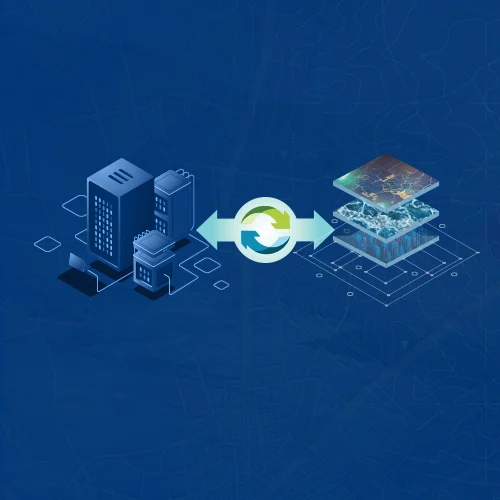
Utility companies have many things to manage, such as power lines, pipes, equipment, and other assets. They also have a lot of data about these assets. When this data is stored in an old GIS system, finding, updating, and using it can become difficult.
ArcGIS Utility Network Migration helps utilities move this data from an old network system to a newer and more connected system. This can make it easier to see how assets are linked, find network problems, check data, and manage daily work.
For utilities using geometric networks or other older GIS systems, migration can improve network connections, data quality, tracing, asset management, and system integration. A well-planned ArcGIS Utility Network Migration can also prepare utilities for future technology.
In this blog, you’ll learn how migration works, its benefits, common challenges, tools, methods, and how to choose the right team.
What Is ArcGIS Utility Network Migration?
ArcGIS Utility Network Migration means moving utility data from Esri’s older Geometric Network model to the modern Utility Network model. It includes information about utility assets, their connections, and how they are managed.
ArcGIS Utility Network Migration means moving utility data from Esri’s older Geometric Network model to the modern ArcGIS Utility Network model. This process updates how connected infrastructure, such as electric, gas, and water networks, is represented and managed, including utility assets and their relationships.
The process is more than simply moving data. The data needs to be checked, organized, matched with the new system, tested, and set up correctly.
For example, an electric utility can move data about poles, power lines, and transformers into ArcGIS Utility Network to clearly see how these assets connect.
Why ArcGIS Utility Network Migration Matters
Older GIS systems can make utility data and asset connections difficult to manage. The benefits of migrating to esri utility network include better data, easier network analysis, stronger connections, and smoother utility work.
Below are the key ways it helps utilities.
Modernize Utility Network Management
ArcGIS Utility Network gives utilities one organized place to manage their assets and how they are connected. It also makes it easier to add new assets and update network information as the utility grows and its needs change.
Improve Network Connectivity and Analysis
Utility assets need to be connected correctly so teams can understand how the network works. ArcGIS Utility Network helps show these connections and supports tasks such as finding outages, checking network paths, and planning repairs.
Support Better Data Management
Migration gives utilities a chance to check their old data before moving it. Teams can find duplicate records, missing information, and other data problems. This helps create cleaner and more reliable utility data.
Enable Modern Utility Workflows
ArcGIS Utility Network can support common utility tasks such as editing maps, checking networks, managing assets, field work, and planning. It can also connect with other business systems, making it easier for teams to share and use data.
ArcGIS Utility Network Migration Readiness
Successful ArcGIS Utility Network Migration starts with good preparation. Before moving data, utilities should check their current GIS, understand what they need, and plan how the new system will work.
A readiness check helps find problems early and creates a clear migration plan. The following steps explain what utilities should review before starting the migration.
Assess Existing GIS Data
First, make a list of the data already in the GIS system. This includes utility assets, fields, connections, attachments, and other important information. This helps teams decide what data should be moved, updated, or removed.
Review Data Quality and Completeness
Old or incorrect data can cause problems during migration. Teams should check for missing information, duplicate records, wrong connections, and other errors. Fixing these issues early makes the migration easier and reduces problems later.
Define Business and Technical Requirements
Utilities should first decide what they want the new network to do. This includes daily work, users, reports, other systems, and analysis needs. Working with a team that provides GIS services can also help utilities define these needs clearly before migration.
Prerequisites and System Requirements
Before migration, teams should make sure the ArcGIS system has everything it needs to run properly. This includes the right software, database, licenses, security, system setup, user access, and supporting applications.
Prepare the Service Territory
The service area should be reviewed before moving the data. Teams should understand the area covered, assets, network structure, and data sources. Reviewing these details also helps with migration planning, testing, and deployment.
ArcGIS Utility Network Migration Methods
The right migration method depends on the GIS system, data quality, network size, business needs, and resources available. Utilities can move from an Esri geometric network, another GIS system, or use a phased approach.
The points below explain the main migration methods and how utilities can choose the approach that best fits their needs.
Migration from Geometric Networks
Utilities already using Esri GIS can move their existing geometric network data to the Utility Network. The data is checked and matched with the new structure. This also requires setting up asset groups, asset types, associations, network rules, and domain networks.
Migration from Non-Esri GIS Systems
Utilities moving from another GIS system need to prepare their data carefully. Existing data is checked and matched with the correct Utility Network classes, fields, asset types, relationships, and other parts before it is moved.
Phased Migration vs. Full Migration
A phased migration moves the network in smaller parts, such as one area or asset type at a time. This makes testing easier and can reduce problems. A full migration moves the entire network together when the data and resources are ready.
Choosing the Right Migration Method
Utilities should choose a migration method based on their data, network size, business needs, systems, timeline, and team skills. The right approach should also allow enough time for data preparation, testing, training, and keeping daily work running.
ArcGIS Utility Network Migration Tools
ArcGIS provides several tools to support Utility Network migration, from preparing data to loading and checking it. Below are the main tools used during the migration process.
Utility Network Foundations
The Utility Network data model provides the basic structure for organizing utility assets and their connections. Understanding this model helps teams place existing data correctly and set up the right relationships in the new Utility Network.
Utility Network Migration Wizard
The Utility Network Migration Wizard helps utilities move supported network data into the Utility Network. It guides teams through parts of the migration, but the migrated data still needs to be reviewed and tested for accuracy.
Migration Toolset
The migration toolset includes tools for preparing and moving data into the Utility Network. Teams can use these tools to handle migration tasks and identify data problems before the migrated data is used for daily utility work.
Migrate To Utility Network Tool
The Migrate To Utility Network tool helps move supported network data into the Utility Network model. Before using it, teams should make sure the source data is prepared and the target Utility Network is ready for the required workflows.
Data Loading and Validation Tools
Data loading tools help move prepared data into the new system, while validation tools help find errors. They can check geometry, attributes, connections, domains, and network rules to make sure the migrated data works correctly.
ArcGIS Utility Network Migration Process
A clear ArcGIS Utility Network Migration process helps utilities move data safely and avoid major problems. Below are the main stages of the migration process, from checking source data to deploying the new Utility Network.
Assess and Inventory Source Data
Start by reviewing the existing GIS data and listing everything that needs to be migrated. This includes feature classes, fields, domains, relationships, attachments, network information, integrations, and applications that use the source data.
Design the Target Data Model
The target Utility Network should match the utility’s business needs and the assets it needs to manage. The design defines domain networks, feature classes, asset groups, asset types, associations, and network rules.
Map Source Data to Utility Network Classes
Each source dataset needs to be matched with the correct Utility Network class and structure. Teams should also document field mappings, value changes, identifiers, domains, and other rules needed to convert the data correctly.
Configure Asset Groups and Asset Types
Asset groups and asset types help utilities organize different types of network assets. They should be configured based on how the utility manages equipment and infrastructure in its daily operations, rather than simply copying the old data structure.
Configure Domain Networks and Network Rules
Domain networks define the main parts of a utility system, while network rules control how assets can connect and relate to each other. Correct configuration is important because wrong rules can cause errors and affect network analysis.
Migrate and Load Data
After the target model and data mappings are ready, the prepared data can be converted and loaded into the Utility Network. Moving data in controlled stages can make it easier to find and fix problems early.
Validate Data and Resolve Errors
Validation checks whether the migrated data follows the Utility Network structure, connections, domains, associations, and network rules. Teams should record errors, fix them, and run validation again until the data meets the required quality standards.
Test the Migrated Network
Testing should focus on real utility work as well as technical checks. Teams should test editing, tracing, asset searches, validation, system connections, map performance, reporting, and other tasks used by GIS and operations teams.
After testing and approval, the Utility Network can be moved into production and shared with users. Deployment should include user access, services, applications, documentation, monitoring, support, and a plan for handling post-migration issues.
General ArcGIS Utility Network Migration Workflow
A clear workflow helps utilities manage each stage of ArcGIS Utility Network Migration. Below are the main steps, from reviewing the existing GIS system to supporting the network after deployment.
- Assess the existing GIS environment.
- Inventory and review source data.
- Identify and fix data quality issues.
- Define business and technical requirements.
- Design the target Utility Network model.
- Map source data to target classes.
- Configure asset groups, asset types, domains, and rules.
- Migrate and load the prepared data.
- Validate the data and correct errors.
- Test real business workflows.
- Deploy the production network.
- Monitor, optimize, and support the environment.
Following this workflow helps utilities keep the migration organized, identify problems early, and reduce unexpected issues during deployment.
Key Data Mapping Considerations
Data mapping is a key part of ArcGIS Utility Network Migration. Poor mapping can cause data errors and affect network analysis. Below are the main data mapping areas utilities should review during migration.
Feature Classes and Fields
Source feature classes and fields should be matched with the correct Utility Network equivalents. Teams should check field names, data types, required values, identifiers, and transformation rules to keep information accurate after migration.
Domains, Asset Groups, and Asset Types
Source domains and classifications should be reviewed before mapping them to Utility Network domains, asset groups, and asset types. The values should match how the utility manages its assets and support consistent editing and reporting.
Relationships and Attachments
Relationships and attachments can hold important information about utility assets. Teams should decide which ones need to be kept, changed, or redesigned so important supporting information remains available after migration.
Associations and Network Rules
Associations and network rules help represent complex network relationships. Teams should configure and test them using real utility scenarios to make sure connectivity, containment, structural relationships, and other network behavior work correctly.
Top Benefits of Utility Network System Migration
A successful migration can improve utility operations, data quality, and network management. Below are the main benefits utilities can gain from moving to the Utility Network.
Better Network Connectivity
ArcGIS Utility Network provides a clear way to represent how utility assets connect and work together. Better connectivity helps teams understand the network and supports more reliable analysis and daily operations.
Manage Network Relationships
Utilities can represent important relationships between assets instead of relying only on their location on a map. This creates a more accurate view of the network and supports work that depends on reliable connectivity information.
Improve Connectivity Management
Better connectivity management helps GIS and operations teams understand network conditions and find issues more easily. For organizations considering utility network migration services, connectivity should be an important capability to review during planning and testing.
Advanced Tracing and Network Analysis
ArcGIS Utility Network supports tracing that helps utilities understand how assets and network areas are connected. This can make it easier to study network conditions and support different operational needs.
Support Complex Network Traces
Teams can use network traces to find connected assets, identify isolation areas, and understand upstream or downstream relationships. This helps utilities analyze network conditions without depending only on manual map review.
Improve Operational Decision-Making
Reliable network analysis can support outage response, maintenance planning, asset management, and other operational decisions. The value of tracing depends on accurate connectivity and properly configured network rules.
Improved Data Quality and Governance
Migration gives utilities an opportunity to improve the quality and consistency of their data. A well-designed Utility Network can also provide better ways to manage and check information over time.
Standardize Utility Data
A consistent target model helps reduce differences in how assets and information are stored across teams, systems, or service areas. Standardized data also makes future maintenance, reporting, and integration easier.
Improve Data Validation
Utility Network validation helps identify data problems that can affect connectivity and network analysis. Utilities can use regular validation checks to improve data accuracy and maintain reliable network information.
Support Modern Utility Workflows
The Utility Network supports GIS workflows that go beyond basic mapping and visualization. It can help teams manage assets, update network information, and connect GIS data with other business systems.
Improve Editing and Network Management
Modern editing and network management tools help GIS teams maintain asset information more consistently. This supports a clear and organized way to manage changes across the utility network.
Support Enterprise System Integration
Utility GIS often needs to share information with other business systems. Enterprise system integration can connect network data with systems used for operations, asset management, planning, and customer-related processes. Utilities can also review enterprise system integration when planning broader GIS improvements.
Risks and Challenges of ArcGIS Utility Network Migration
ArcGIS Utility Network Migration can bring technical and business changes for utilities. Below are the main risks and challenges teams should understand and plan for before and during migration.
Data Quality Issues
Incomplete, outdated, duplicate, or inconsistent source data can cause migration errors. Data quality should be checked before migration so teams can fix problems early instead of dealing with them after deployment.
Data Mapping Complexity
Mapping old data structures to the Utility Network model can require careful planning. Complex utilities may have many asset classes, custom attributes, relationships, and old rules that need to be reviewed or redesigned.
Application and Workflow Changes
Existing GIS applications and utility workflows may depend on the old network model. Teams should identify these dependencies early and update and test applications, maps, tools, and processes before production deployment.
Integration Challenges
Integrations with enterprise applications may need changes after migration. Utilities should document system dependencies and test important integrations to make sure information continues to move correctly between the Utility Network and other systems.
Training and Change Management
Users need to understand how the new Utility Network affects editing, tracing, data management, and daily tasks. Training should match each user’s role and include documentation, demonstrations, testing, and support after deployment.
Business Continuity During Migration
Utilities need to keep daily operations running while migration is underway. The migration plan should cover downtime, backups, rollback options, parallel workflows when needed, and communication with teams affected by the change.
ArcGIS Utility Network Migration Best Practices
Successful migration depends on preparation as much as implementation. Utilities should begin with a clear assessment, document requirements, establish data quality standards, and define the target network model before loading production data.
Using pilot implementations can help test the migration approach before broader deployment. Utilities should also validate data continuously, involve GIS and operational users early, document decisions, and establish post-migration monitoring and support processes.
As part of the initial assessment, organizations can use a GIS health check to identify existing GIS issues that may need to be addressed before migration begins.
How to Choose Utility Network Migration Services
Choosing the right partner can affect migration quality, timelines, user adoption, and long-term system performance. Below are the key factors to consider when choosing a migration partner.
Utility Network Migration Services for Electric Utilities
Electric utilities manage complex networks, many asset types, and different operational needs. Choose a partner with experience in electric network models, asset relationships, tracing, data validation, integration, and deployment.
Best ArcGIS Utility Network Migration Consultants
The best arcgis utility network migration consultants should understand both GIS technology and utility operations. Look for experience in migration planning, data modeling, testing, training, integration, and post-migration support.
What to Look for in a Migration Partner
A suitable partner should offer a clear approach, utility experience, technical skills, good data management, and clear communication. They should also provide support after migration for troubleshooting, upgrades, and optimization.
CyberTech: Your Trusted Utility Network Migration Partner
CyberTech combines GIS expertise with utility knowledge to help organizations move to modern Utility Network environments. Its experience covers utility GIS, network migration, implementation, integration, readiness assessment, and ongoing support across different utility environments.
How CyberTech Can Help With Utility Network Migration
CyberTech can support organizations through different migration stages, from readiness assessment and source data review to target model design, migration, validation, testing, and deployment. Its ArcGIS utility network migration services also help organizations move from legacy network models to a modern Utility Network environment.
Utility Network Migration Expertise and Capabilities
CyberTech’s migration capabilities include data assessment, Utility Network design, source-to-target mapping, configuration, data loading, validation, testing, integration, and deployment support. This helps utilities address both the technical requirements of migration and the operational needs of GIS users and utility teams.
Supporting Utilities Through Migration and Deployment
Migration does not end when data is loaded into the target environment. Utilities also need support for testing, user adoption, troubleshooting, optimization, and ongoing network management. CyberTech helps organizations move from migration to production operations while maintaining data quality and business continuity.
Final Thoughts
ArcGIS Utility Network Migration gives utilities a clear way to move from older GIS systems to a more connected network. It can improve data quality, network connectivity, analysis, asset management, and everyday utility work.
A successful migration is not only about moving data. It requires careful planning, clean source data, a clear target model, regular validation, testing, and user preparation. CyberTech can support utilities through these migration stages and help create a smoother move to the new system.
With the right planning and support from an experienced team like CyberTech, ArcGIS Utility Network Migration can become more than a system upgrade. It can give utilities a stronger foundation for managing their networks today and adopting new GIS capabilities as their needs grow.
FAQ
What are the benefits of ArcGIS Utility Network Migration?
ArcGIS Utility Network Migration can help utilities improve network connections, tracing, data quality, asset management, and daily operations. It also helps teams use utility data more easily. The results depend on data quality, system setup, migration work, and how well users adopt the new system.
What data preparation is needed for ArcGIS Utility Network Migration?
Teams need to review their GIS data before migration. This includes feature classes, fields, domains, relationships, attachments, geometry, and connections. They should also find missing, duplicate, old, or incorrect data and prepare it to fit the new Utility Network structure.
How long does ArcGIS Utility Network Migration take?
The time needed depends on the size of the network, data quality, source system, number of asset types, integrations, testing, and deployment plan. A small pilot can take less time than a complete migration. Reviewing the project first helps create a realistic timeline.
How do you select an ArcGIS Utility Network migration consultant?
Look for a consultant with Utility Network experience, utility industry knowledge, data migration skills, testing experience, and integration knowledge. Check their previous projects and make sure they can support both the technical migration and the daily needs of utility teams.
What is ArcGIS Utility Network Migration?
ArcGIS Utility Network Migration is the process of moving utility data from an existing GIS network system to ArcGIS Utility Network. It includes checking the data, preparing it, mapping it to the new system, loading it, testing it, and making it ready for use.
What is a utility network?
A utility network is a GIS system that shows utility assets and how they are connected. It can be used for electric, gas, water, and other utilities. It helps teams manage assets, understand connections, trace networks, analyze data, and support daily work.
How do you migrate to Esri's Utility Network?
First, teams review their existing data and decide what the new system needs to support. They then design the new Utility Network, map and prepare the data, set up rules, load the data, check for errors, test workflows, and deploy the system.